Contacting Patients & Log Action
How do I schedule a follow-up while logging an action?
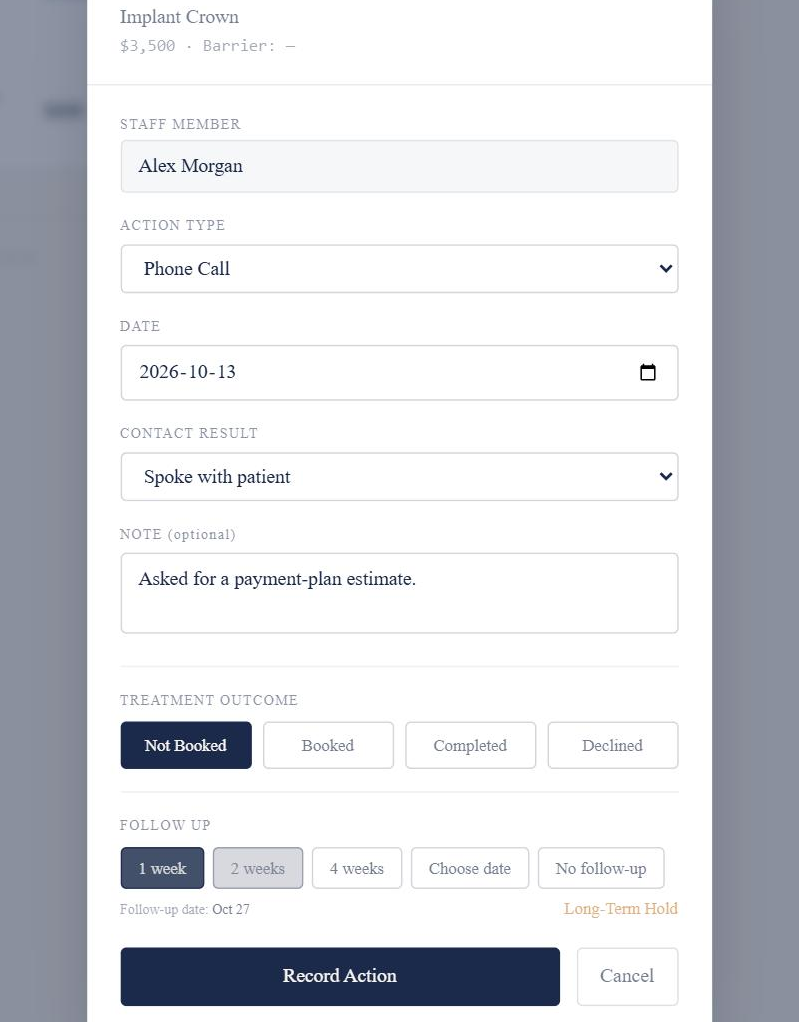
With the Treatment Outcome set to Not Booked, choose when the next follow-up should be, then save the action.
How it works
- Set the Treatment Outcome to Not Booked.
- Choose 1 week, 2 weeks, 4 weeks or Choose date.
- Check the follow-up date Markwell shows.
- Select Record Action.
Good to know
- Saving the new follow-up replaces the treatment plan’s existing active follow-up, if it has one.
- Follow-ups appear in the team’s shared Follow-Ups queue when they’re due.